Free
£0
- Automatic detection
- All four styles
- Full-resolution export
- No ads, no account
Exports carry a small Smudge watermark in the corner.
Smudge
Free Android app
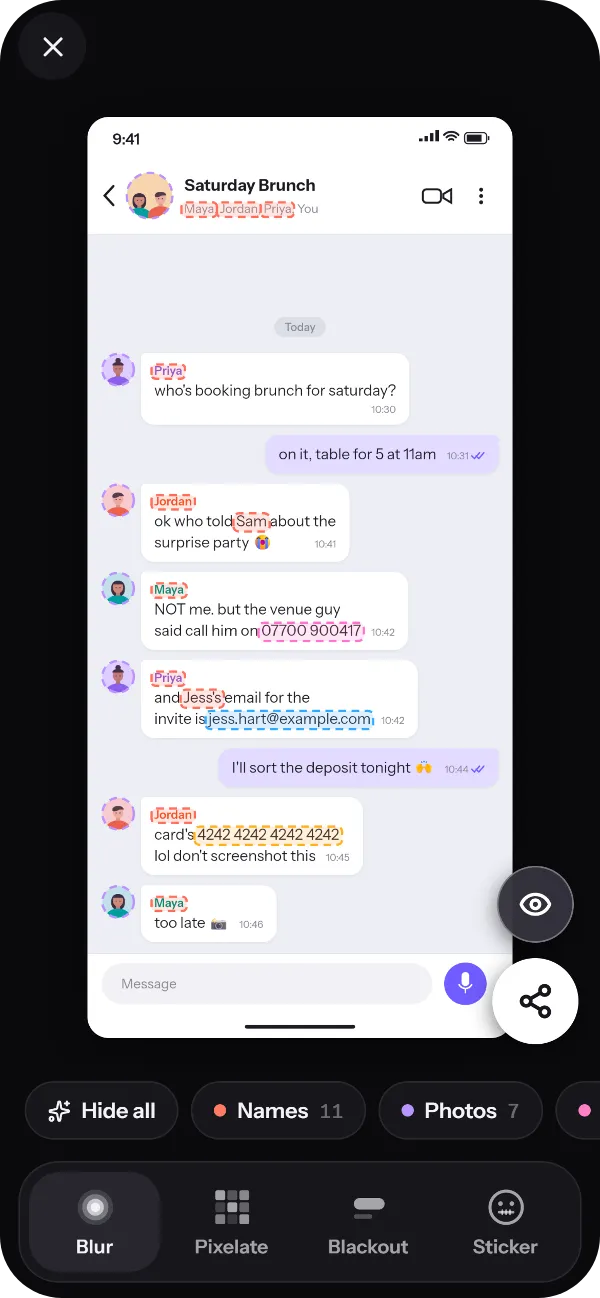
Smudge reads a screenshot on your phone, finds the names, phone numbers, emails and profile photos, and hides them all in one tap. Share the story, not the details. Nothing is ever uploaded.
Coming soon to Google Play.
How it works
From screenshot to safe to share in a few taps. No account, no upload and no fiddly brushes.
Pick one in Smudge, or share it to Smudge straight from your gallery or any other app.
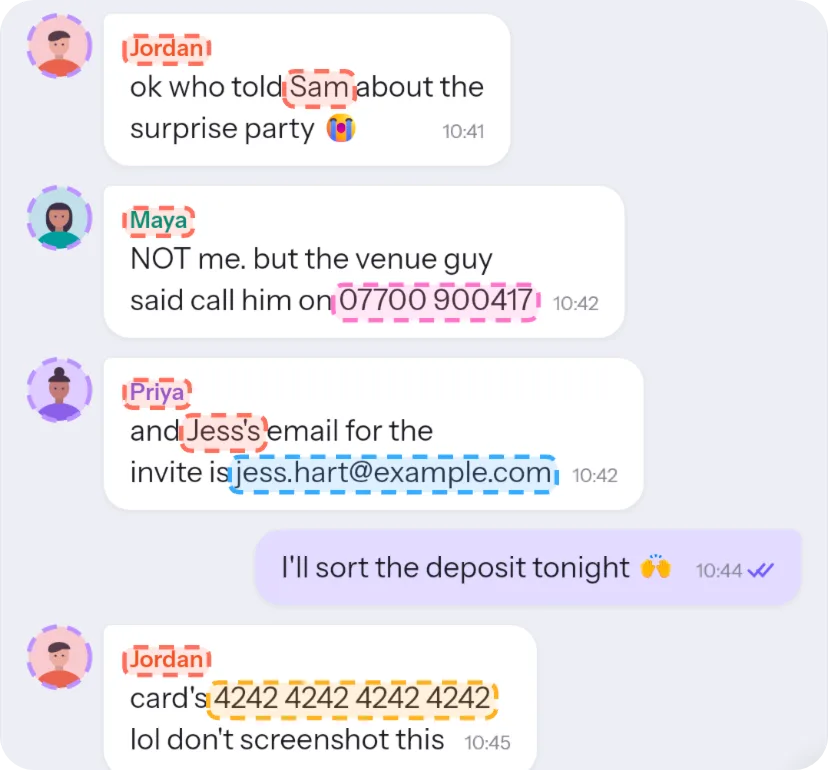
It reads the screenshot on your phone and highlights the names, numbers, emails and profile photos.
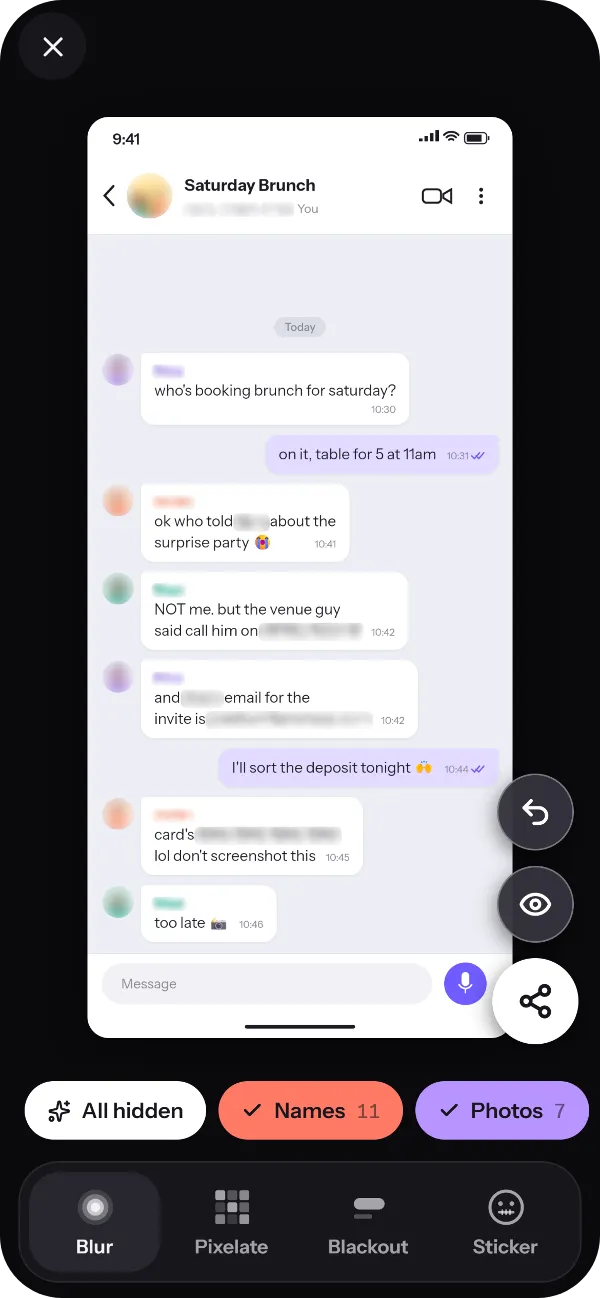
Tap Hide all, or choose them one by one. Tap any word, or drag a box, to hide anything else.
Share, save or copy a full-resolution image, with the photo’s metadata removed.
Automatic detection
Smudge reads the layout of the screen as well as the words. It knows the name in a chat title, and spots it again when it turns up in a message.
In chat titles, member lists, sender labels and @handles, and wherever they come up again.
UK and international formats, including +44 and 07 numbers.
Including ones written out as name [at] example.com.
The little faces beside messages and in the chat header.
Card, account and IBAN numbers, sort codes and crypto wallet addresses.
Dates labelled “DOB”, “born” or “birthday”, and dates that look like one.
Street addresses and postcodes.
Web addresses that could lead back to someone.
Tuned for screenshots from WhatsApp, iMessage, Telegram, Signal, Instagram, Messenger and Google Messages, and it works on anything with text in it. If it misses something, tap the word or drag a box over it.
Four styles
Pick the look that suits what you’re sharing. Switch styles and everything you’ve hidden switches too, or give one box a style of its own.
Soft, with noise mixed in, so it can’t be sharpened back.
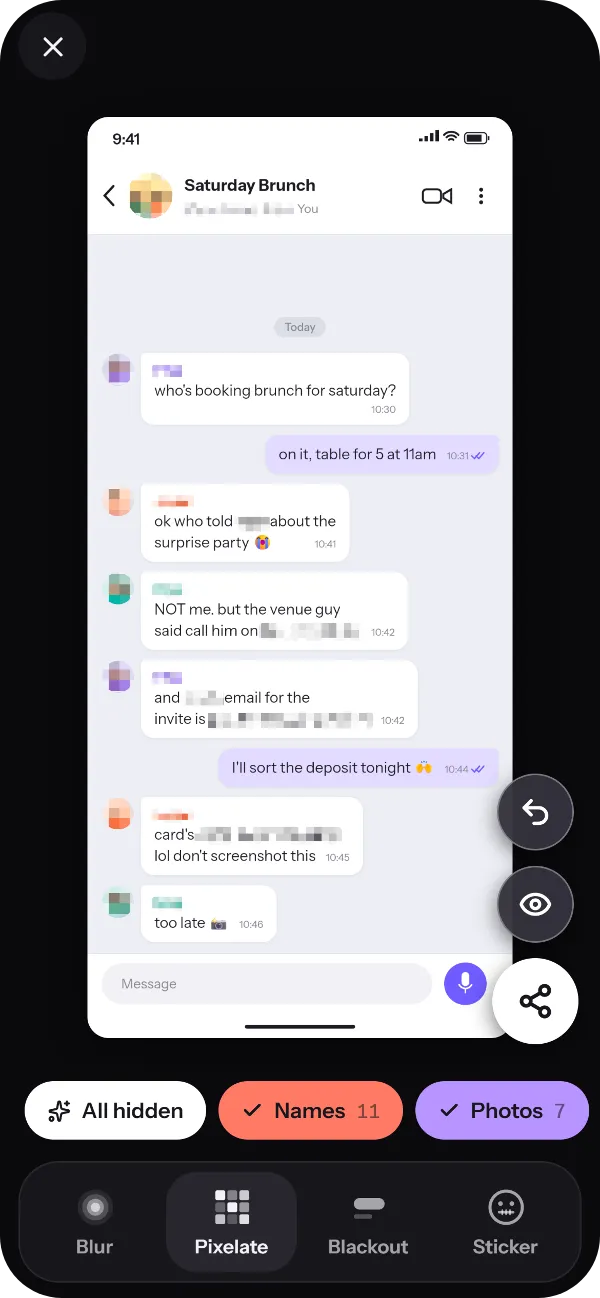
Chunky mosaic blocks, mixed with noise so “unpixelate” tools have nothing to work with.
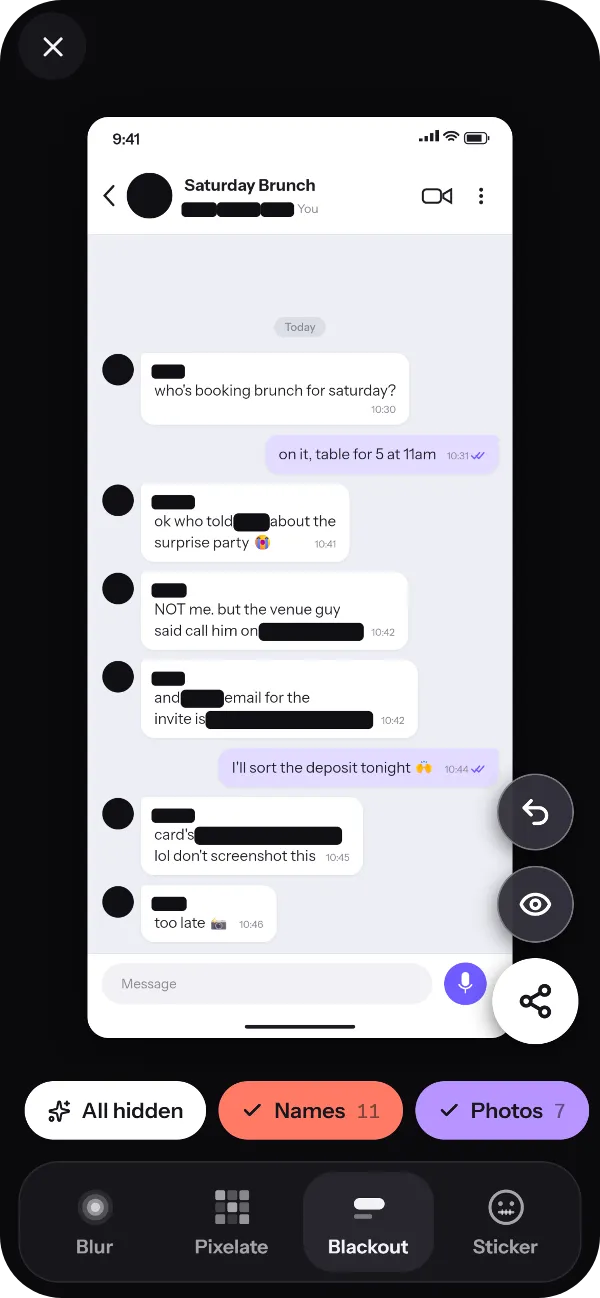
A solid bar, like a redacted document, with nothing left underneath.
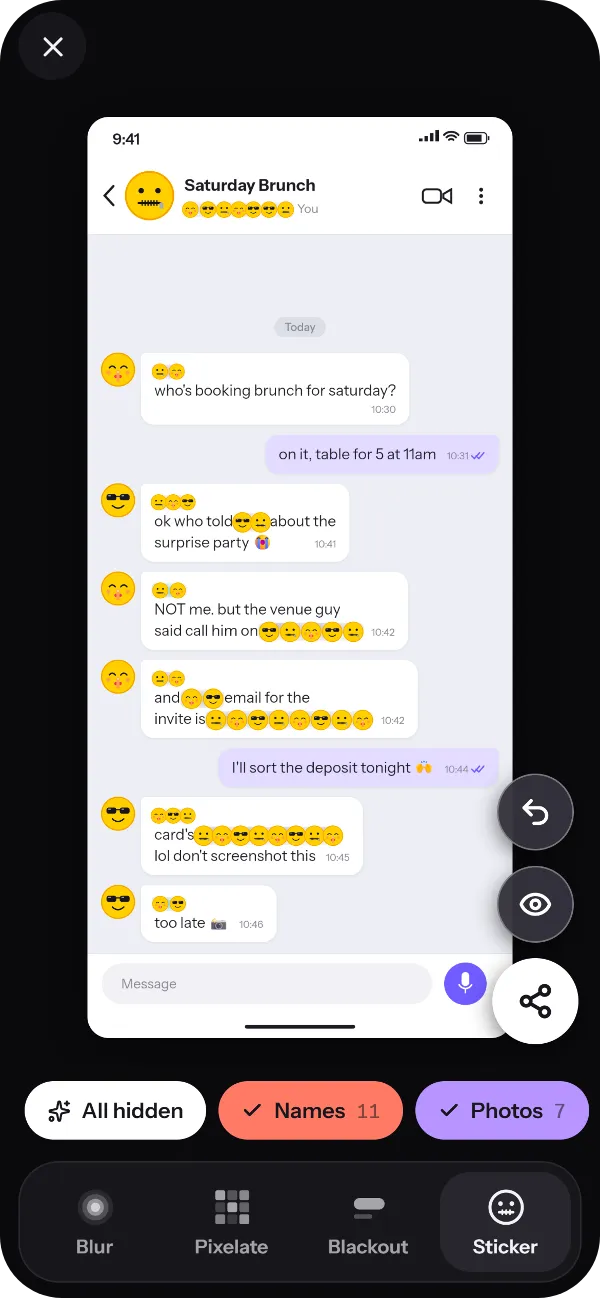
Emoji faces over names and photos, for when it should stay fun.
Ordinary blur and pixelation keep enough of each letter’s shape that de-blurring tools can sometimes piece the text back together. Smudge mixes random noise into every block it hides, so there’s nothing to rebuild. For anything really sensitive, like a card number, use Blackout.
Private by design
Smudge does all its work on the device. We never see your screenshots, and neither does anyone else.
Read the Smudge privacy policyText recognition runs on the device, so your screenshots and the words in them are never uploaded. It works offline too.
Smudge uses Android’s photo picker, so it sees the one image you choose, not your whole gallery.
Exports are drawn from scratch at full resolution, so nothing you’ve hidden survives underneath and metadata such as location doesn’t come along.
There’s nothing to sign up for, and the app has no advertising and no tracking of our own.
Pricing
Every feature is free, with no limits. If you’d rather your images didn’t carry our watermark, remove it once and it’s gone for good.
£0
Exports carry a small Smudge watermark in the corner.
£1.99 one-off
Paid through Google Play, so we never see your card details.
The price is £1.99 in the UK. Google Play sets the local price in other countries.
FAQ
Something else? Email [email protected] and you’ll hear back from the person who built it.
Open the screenshot in Smudge, or share it to Smudge from your gallery. Smudge highlights the personal details it finds: tap Hide all, or tap just the ones you want hidden. To hide anything else, tap a word or drag a box over it. Then share, save or copy the result.
Yes. Every feature is free, with no limits. Images you export carry a small Smudge watermark in the corner, and a one-off £1.99 purchase removes it for good. There are no ads and no subscription.
No. Smudge reads and edits your screenshots on your phone, and it works offline. Your images, and the text in them, are never sent to us or anyone else. The Smudge privacy policy has the details.
Sometimes, yes. Ordinary blur and pixelation keep enough of each letter’s shape for de-blurring tools to have a go. Smudge mixes random noise into everything it blurs or pixelates, so there’s nothing to rebuild. For the most sensitive details, use Blackout: a solid bar with nothing underneath.
Any screenshot with text in it. Name detection is tuned for chats and lists in WhatsApp, iMessage, Telegram, Signal, Instagram, Messenger and Google Messages. Phone numbers, emails, card numbers and addresses are found anywhere, from receipts to banking apps.
Yes. In screenshots, Smudge finds profile photos for you. In any other photo, drag a box over a face, a number plate or anything else you want hidden.
No. Smudge exports at the same resolution as the original. Each export is a fresh image, so what you’ve hidden can’t be peeled back and metadata such as location doesn’t come along.
Not yet. Smudge is on Android for now.
English and other languages written in the Latin alphabet. If it misses something, tap the word or drag a box over it.
Get Smudge
Smudge is coming soon to Google Play. It’s free, with no ads and no account, and your screenshots never leave your phone.