Landlords and deposits
Show what was agreed about repairs, rent and the deposit, with dates and photos.
Onpaper
An Android app that turns a WhatsApp chat into a clean, dated PDF, photos and all, to print, keep or send to a solicitor. Nothing is ever uploaded.
Coming soon to Google Play.
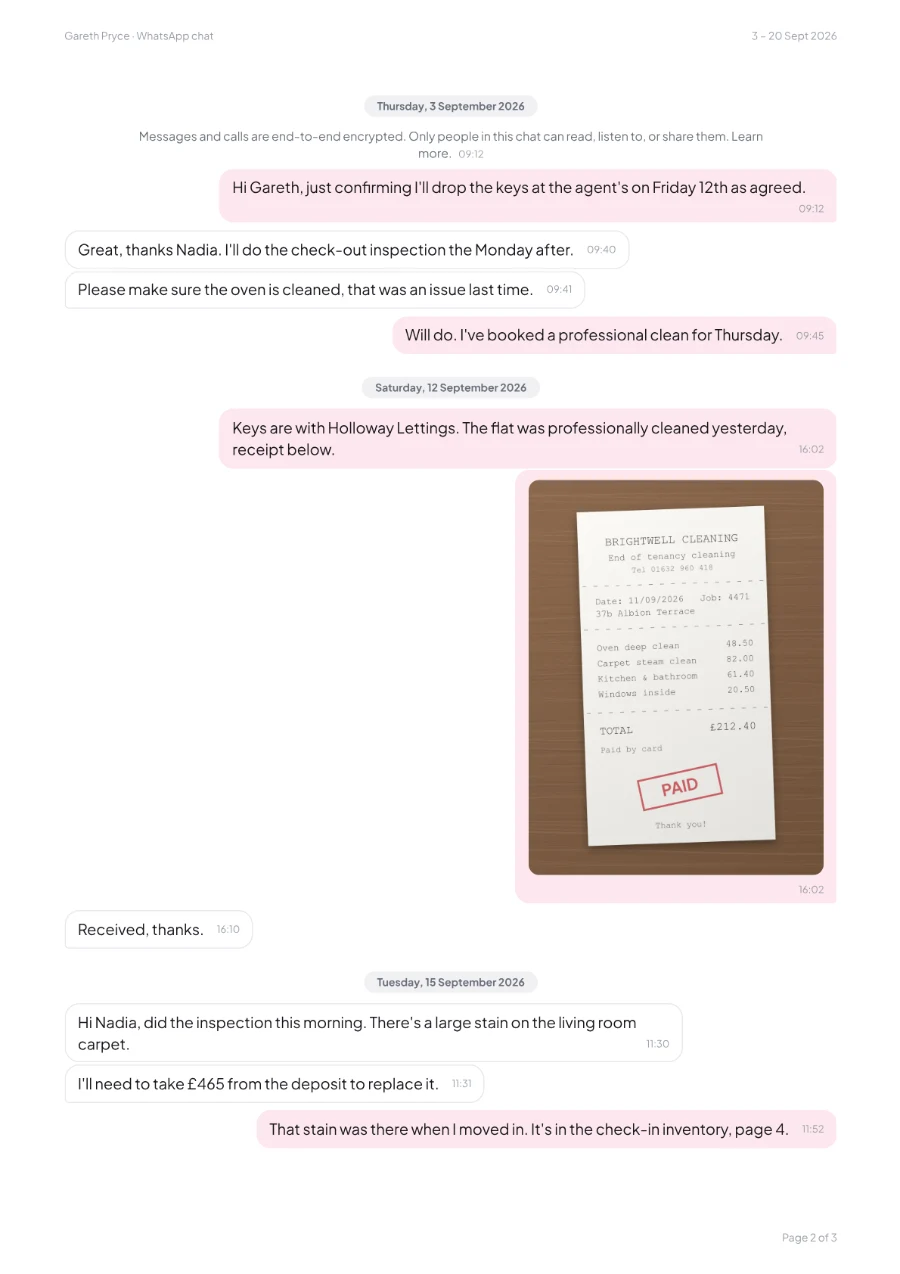
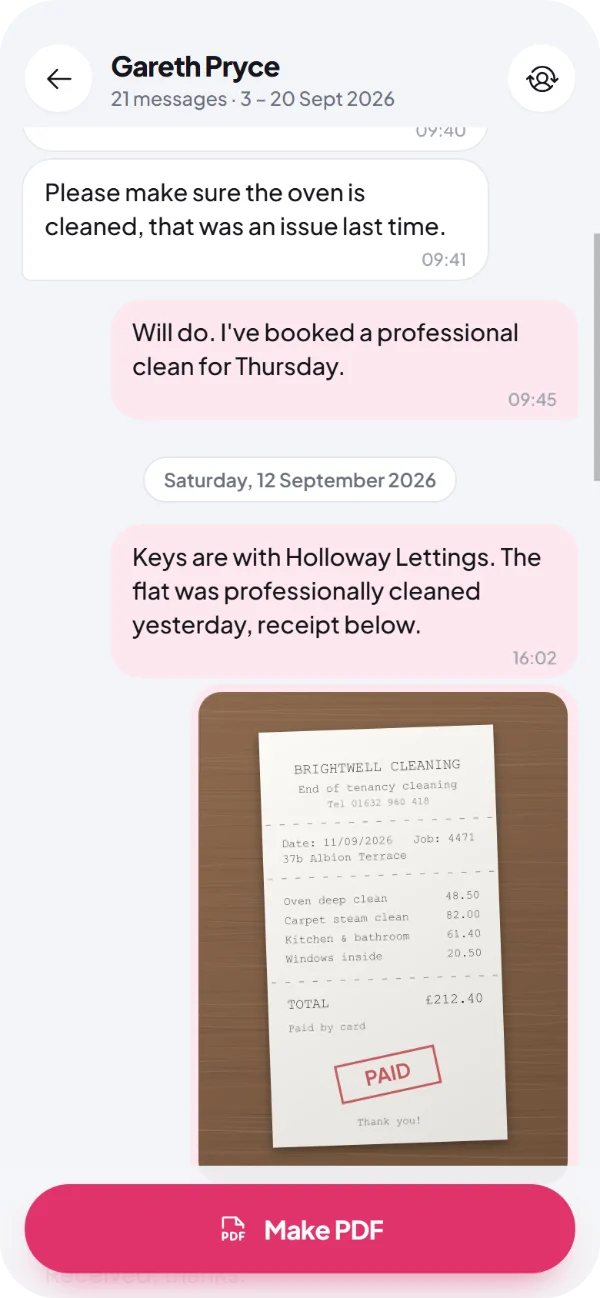
From WhatsApp to a finished PDF in under a minute. No account, no upload and no computer.
In WhatsApp, open the chat and tap the three dots, then More, then Export chat.
Choose Include media, so the photos come too. Or skip them for a lighter PDF.
Choose Onpaper from the list. The chat opens in seconds, laid out like WhatsApp.
Choose the whole chat or just some dates, then save the PDF or share it.
Onpaper sets out every message the way you’d see it in WhatsApp, on clean A4 pages that print well and read easily on any screen.
Every message with its date and time, in the order it was sent.
Your messages on the right and everyone else’s on the left, with names in group chats.
Photos and stickers printed where they were sent, even in chats with thousands of them.
Each page carries the chat’s name, its dates and a page number.
Deleted and edited messages are marked, and anything left out of the export is listed.
The whole chat, or only the days that matter.
Arabic, Hebrew, Chinese, Japanese, Hindi, emoji and more, right to left included.
We’ve made single PDFs from chats with over 9,000 messages and 1,000 photos.
Works with chats exported from WhatsApp and WhatsApp Business, on Android or iPhone. Onpaper isn’t affiliated with WhatsApp or Meta.
A tidy record you can print, file or send, whenever someone needs to see what was said and when.
Show what was agreed about repairs, rent and the deposit, with dates and photos.
Keep a clear copy of messages with a manager or colleague, before they’re lost.
Hand over a chat in a form that’s easy to read, print and page through.
Print years of messages with someone special, photos and all.
Onpaper doesn’t rewrite anything. Messages appear in the order and wording of WhatsApp’s own export, with every date and time. Deleted and edited messages are marked, and photos that weren’t in the export are listed by name. It isn’t a legal certification, so check what your case needs.
Onpaper does all its work on the device. We never see your chats, and neither does anyone else.
Read the Onpaper privacy policyThe chat is read and the PDF is made on the device, so your messages and photos are never uploaded. It works offline too.
Onpaper sees the one export you share or pick, never the rest of WhatsApp. It never asks for access to your files, photos or contacts.
A chat’s photos sit in the app’s private storage, and the next chat you open replaces them. Android clears that storage when it needs the space.
There’s nothing to sign up for, and the app has no advertising, analytics or tracking.
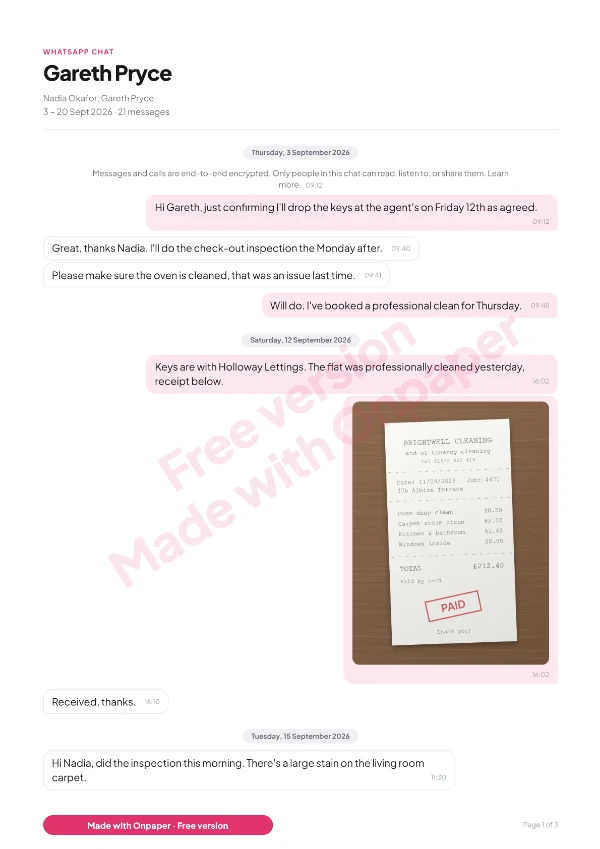
Every feature is free, so you can see exactly what you’ll get. When you need a clean copy, remove the watermark once and it’s gone for good.
£0
Every page carries a “Free version” watermark. Every message stays readable.
£4.99 one-off
Paid through Google Play, so we never see your card details.
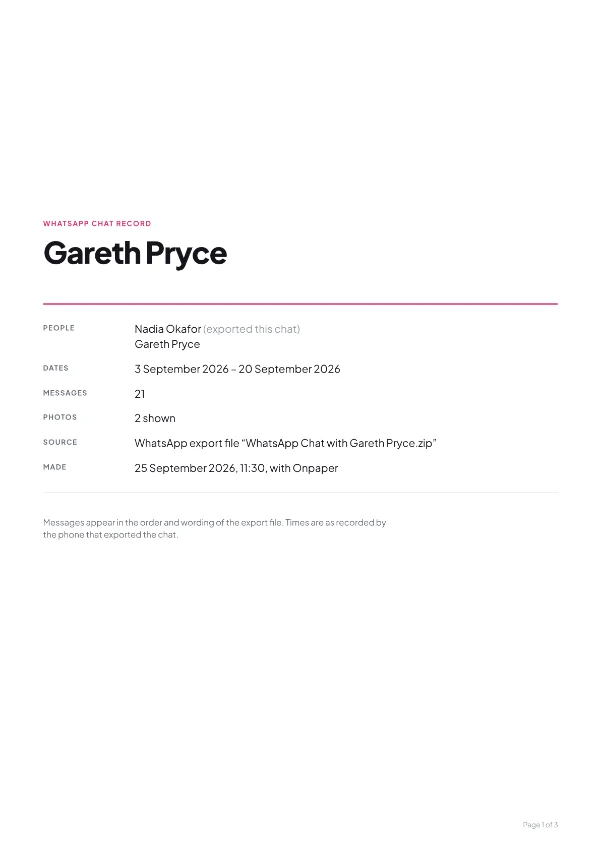
The price is £4.99 in the UK. Google Play sets the local price in other countries. No subscription.
Something else? Email [email protected] and you’ll hear back from the person who built it.
In WhatsApp, open the chat, tap the three dots, then More, then Export chat, and choose Include media. Pick Onpaper from the list, then tap Make PDF. Save the PDF to your phone or share it.
Yes, every feature is free. Free PDFs carry a “Free version” watermark on every page, and a one-off £4.99 purchase removes it for good and adds a cover page. There are no ads and no subscription.
No. Onpaper reads your chat and makes the PDF on your phone, and it works offline. Your messages, photos and the names in them are never sent to us or anyone else. The Onpaper privacy policy has the details.
Yes, when you export the chat with Include media. Photos and stickers are printed where they were sent. Videos, voice messages and documents are listed by name.
Onpaper lays out exactly what is in WhatsApp’s export, with every date and time, and marks deleted and edited messages. People use PDFs like these for solicitors, landlords, employers and insurers. It isn’t a legal certification, so check what your case needs.
If anyone in the chat has turned on Advanced chat privacy, WhatsApp hides Export chat for everyone in it. It can be turned off in the chat’s settings. In a group, the admins may have locked that setting.
Yes. Onpaper is an Android app, and it reads exports from both Android and iPhone. Move the iPhone export to your Android phone and open it in Onpaper.
Yes. It reads chats in any language, including Arabic and Hebrew written right to left, and emoji. It understands the dates from phones set to any region.
As long as you like. We’ve made single PDFs from chats with over 9,000 messages and more than 1,000 photos. Long chats print in parts, with the progress shown as it goes.
Onpaper is coming soon to Google Play. It’s free to try, with no ads and no account, and your chats never leave your phone.